
Enrolment to Course
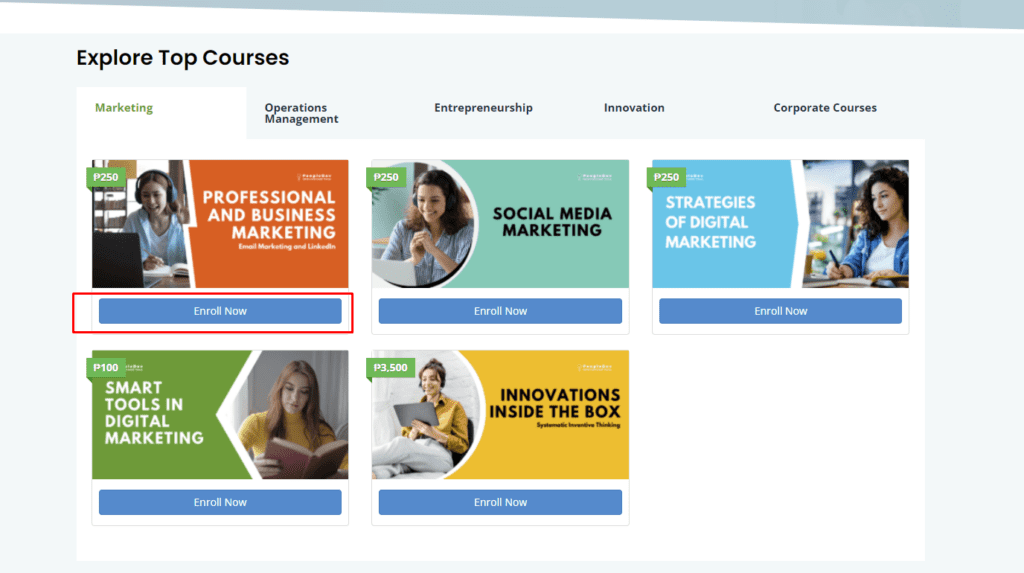
- Choose a course and click “Enroll Now”
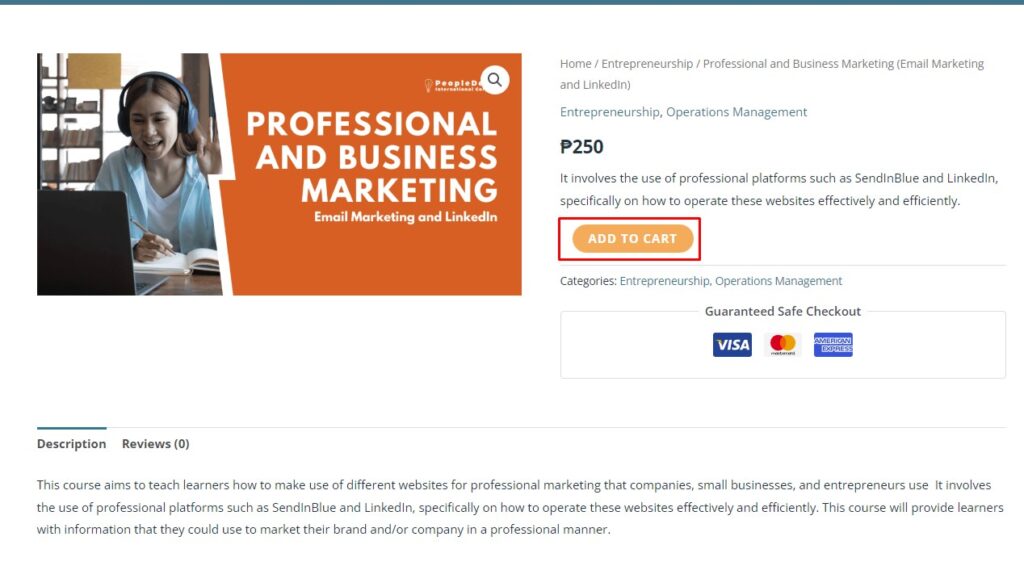
- Review the course details and click “Take this course”

- Click “Add to Cart”.
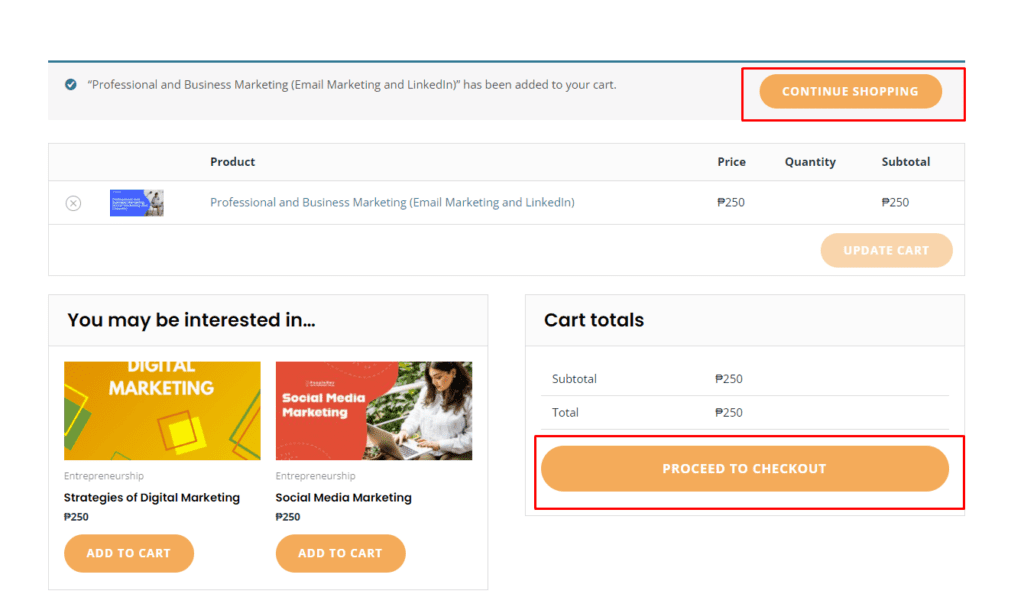
- To add other courses to your cart, click Continue Shopping, or click “Proceed to checkout” to start enrolling to the chosen course:
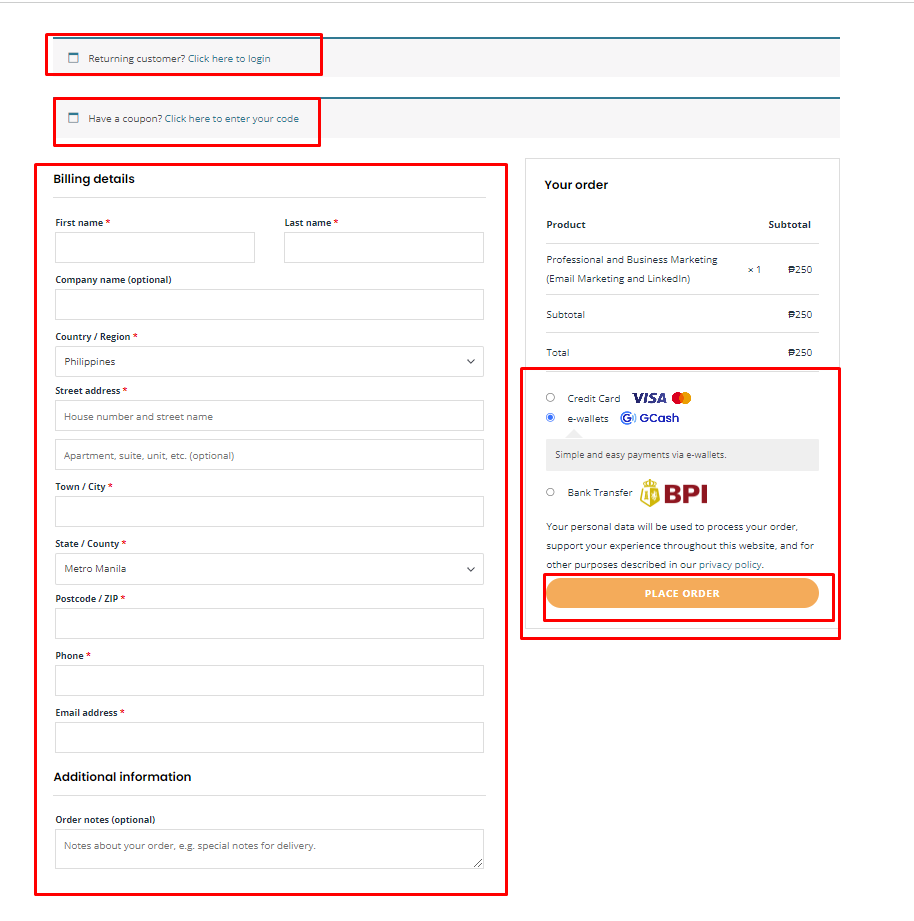
- Enter user billing details or if the user is already registered, click “Click here to login”
- Click “Click here to enter your code” to apply discount using a coupon or voucher (if applicable)
- Select desired payment gateway and click place order to proceed to complete the order.
- User will be redirected to Compleeted Order Payment Details page:
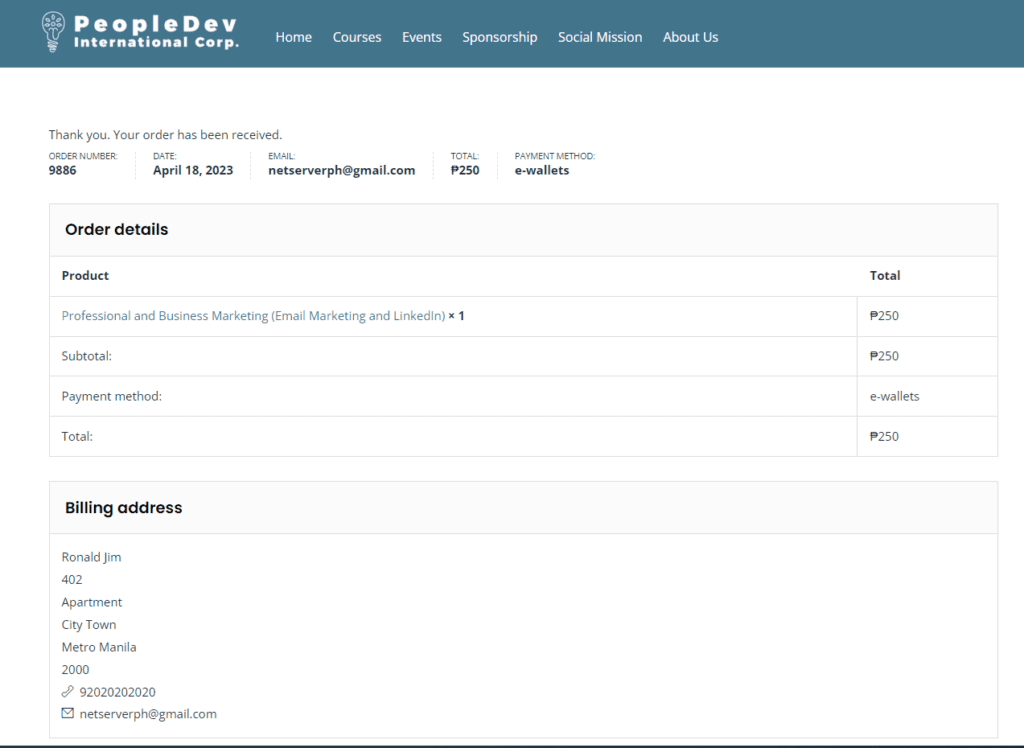
- Click “My Account” to view all enrolled courses. It may take up to minute before the newly ordered course to appear in the user dashboard.
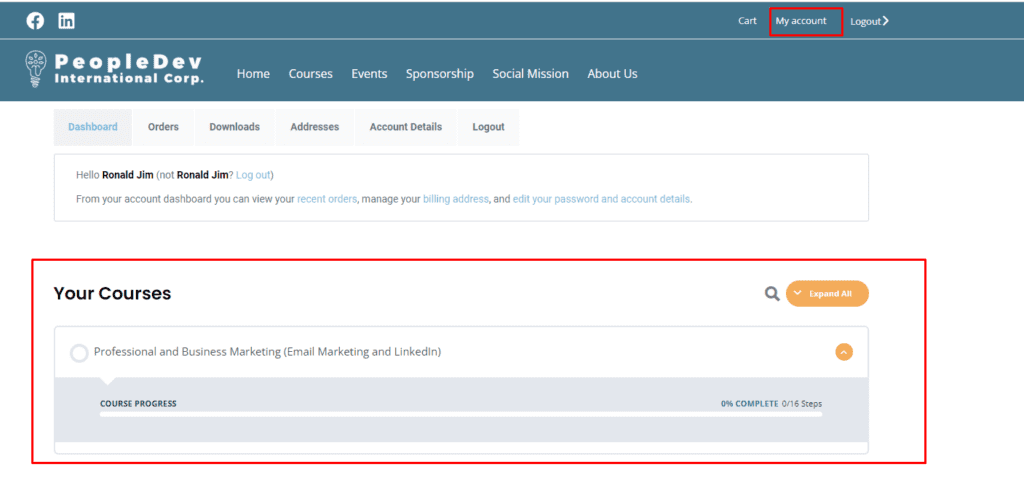
Additional Instructions for newly registered users:
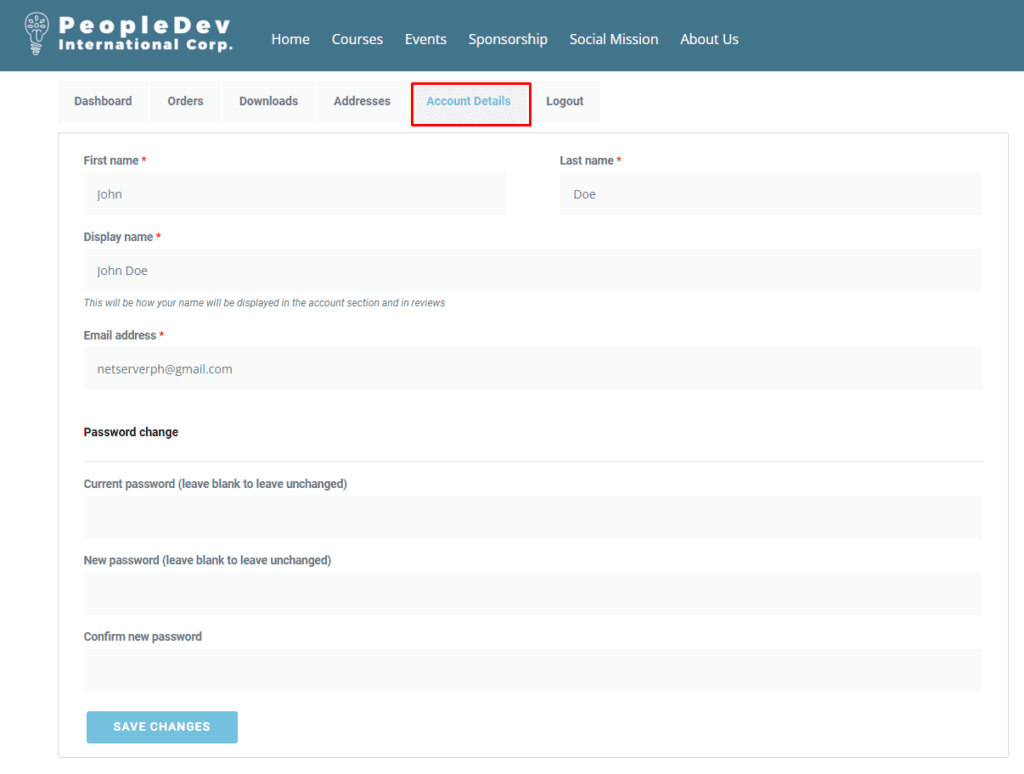
- To update user information, click Account Details.
- To set a password of newly created account, check the registered email and look for “Your PeopleDev Intl. Corp account has been created” email and click the link “Click here to set your new account”
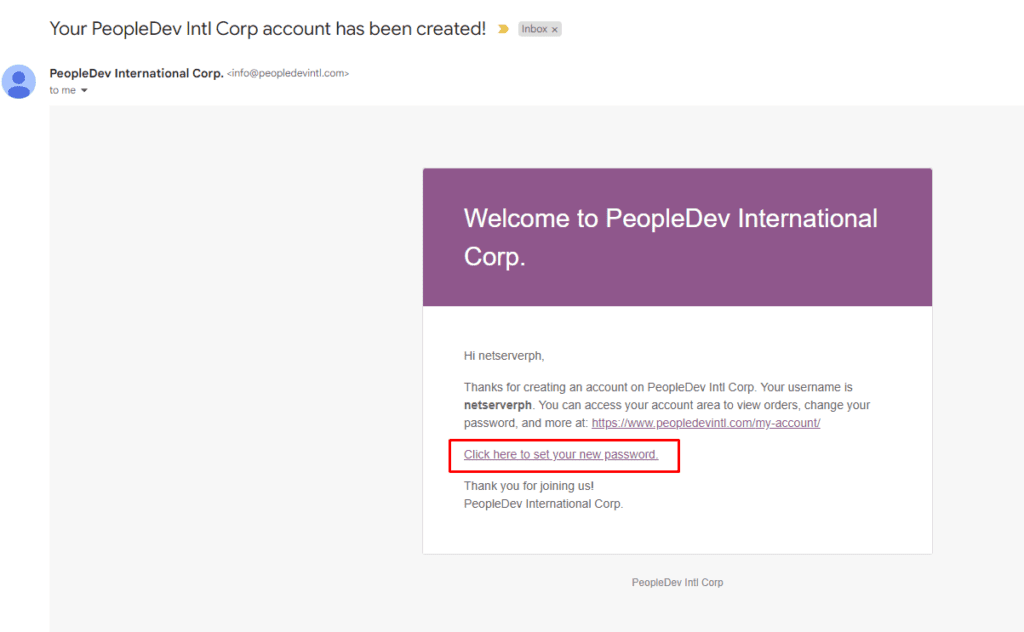
- Enter and re-enter the new password and click save:


